1. Downloading
Dowloaded the Windows 10 (Multiple Editions) (x64) – DVD (English-United Kingdom) from the MSDN site. This iso contains both the pro and the home versions in it. The name of the iso file was ‘en-gb_windows_10_multiple_editions_x64_dvd_6846903.iso’ and it was around 4 GB
2. Checking for checksum
Since it was a big download, I wanted to make sure of its integrity. Downloaded ‘Microsoft File Checksum Integrity Verifier’ from the microsoft site. Unzipped the contents, extracted the WinMD5.exe into a folder. And from there ran ‘fciv.exe’ using command line, with the arguments .NOTE: fciv stands for File Integrity Checksum verifier
It took about 2 minutes to generate the hash. Once I got the hash, I got the a big shock. The checksum were not matching. Now I had to decided whether to proceed with the same ISO, and burn into a DVD and probably end up with an incorrect installation or download the ISO once more. It was compounded by the fact that, hash generated by another tool WinMD5Free also showed discrepancy between the checksums
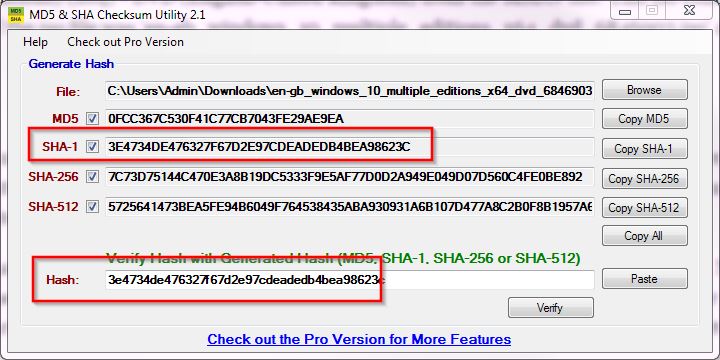
I decided to give it one more try and this time used ‘MD5_and_SHA_Checksum_Utility.exe’ downloaded from CNET and I got, what I was looking for
3. Writing to the disc
Downloaded ISO burner software from here http://www.freeisoburner.com/
4. Making a list of most important stuff