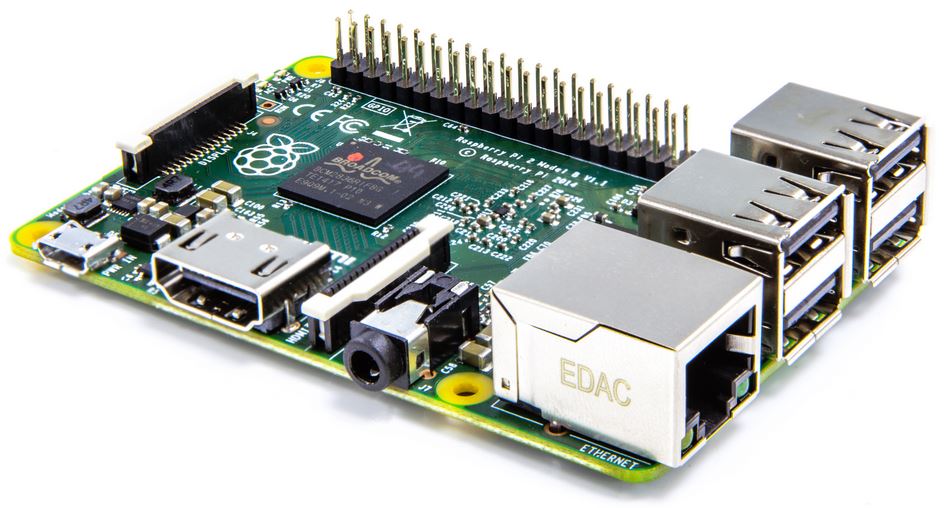
As per the suggestion from Sri, I ordered the latest iteration of this great pocket sized computer from Amazon, and it was delivered yesterday. I did not waste much time and decided to start with exploring and this great concept of computing.
Since the new Pi makes use of MicroSD card ( the ones we used in our cell phones ) instead of a normal SD card ( which we used in our cameras) I made use of the memory card from my Samsung Tab. Downloaded raspbian and installed the following
- chromium
- Libreoffice
- VLC
- xfce 4
I used the commands
sudo apt-get install vlc
sudo apt-get install libreoffice
sudo apt-get install chromium
sudo apt-get install xfce4
I heard about people supporting and also speaking against going for the latest update, but I opted for going for the latest update
sudo apt-get update
sudo apt-get upgrade
sudo rpi-update
sudo reboot
I did this prior to installing the software
Four things I learned on the first day
- Unless you really make use of hardware acceleration, any form of video playing, totally s#ks ! Which means omxplayer, to the rescue ( comes in built)
- Playing flash videos/ HTML5 videos is still an issue, which means bye bye to youtube, as of now. Until I figure out something
- The cores are really upto the mark, not crossing 25 % even under stress. This could be a good game changer, compared to the previous pi, which clocked above 95 %, in case of ANY CPU intensive task
- xFce4 interface looks neat and is pretty responsive
Some useful commands,
df- h
omxplayer -0 movie.mpg